3.2.1 My New Library - Adding your first Patron.
Giving patrons access to your library, creating patrons from thin air, and accepting requests from patrons. (LIBRARY)
There are a couple of ways for a patron to get access to your library.
Firstly, a Librarian can create their account, and when the "Submit" button is hit, the patron is immediately created with access to your library.
1. Go to Patrons, then click Create Patron.
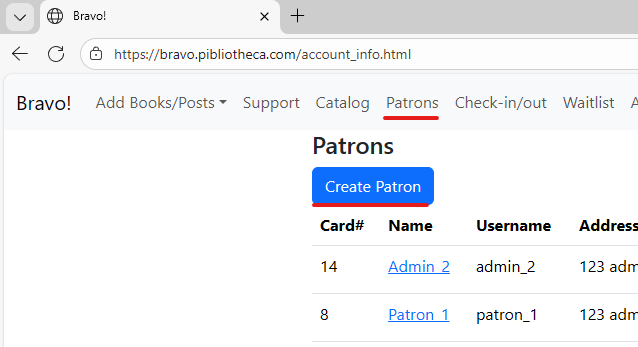
(NOTE: If a Librarian creates a patron, the patron is not required to have an email; but patrons without emails are limited to membership in only one library. If they add an email, they can then join more libraries. Other methods of signup do require emails.)
2. Fill out the form and submit it. The user will be forced to reset his password at first login.
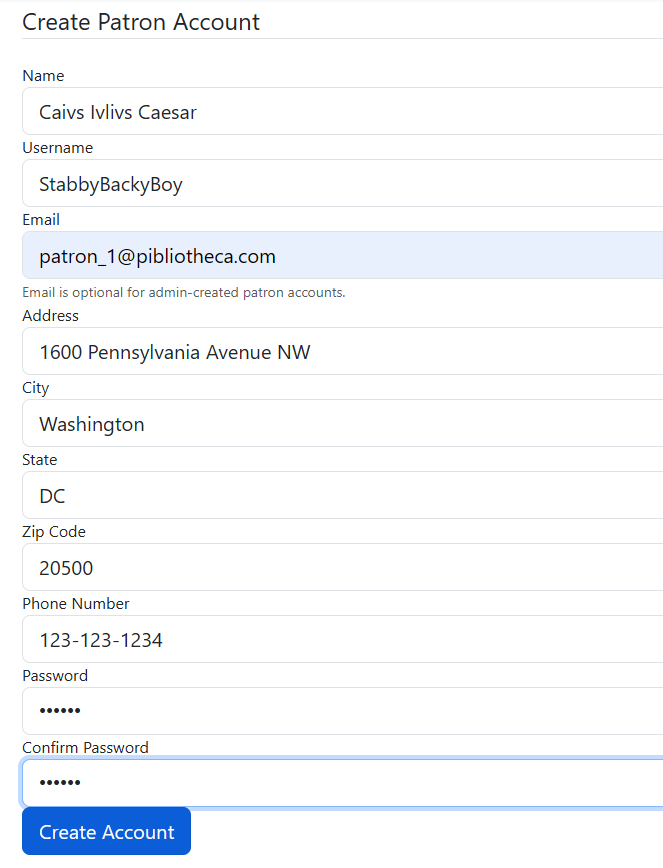
Once submitted, the user immediately has access to your library through your Pibliotheca portal.
Secondly, a Librarian can send an existing Pibliotheca Patron access to the library.
1. Go to "Access Requests", then put the Patrons email address into the "Send Access Invite" field, and hit the button.
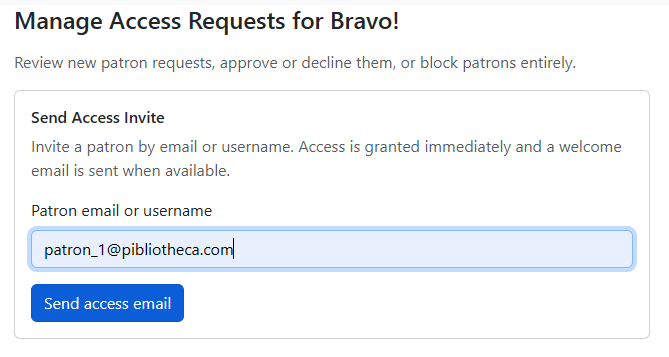
2. The Patron will receive an email welcoming them to your library, and giving them the URL to visit your libraries portal.
Lastly, A Patron can request access to your library. If this happens, you will get an email, at your library email address, notifying you that a Patron has requested access to your library. You are under no obligation to accept, but you have three options.
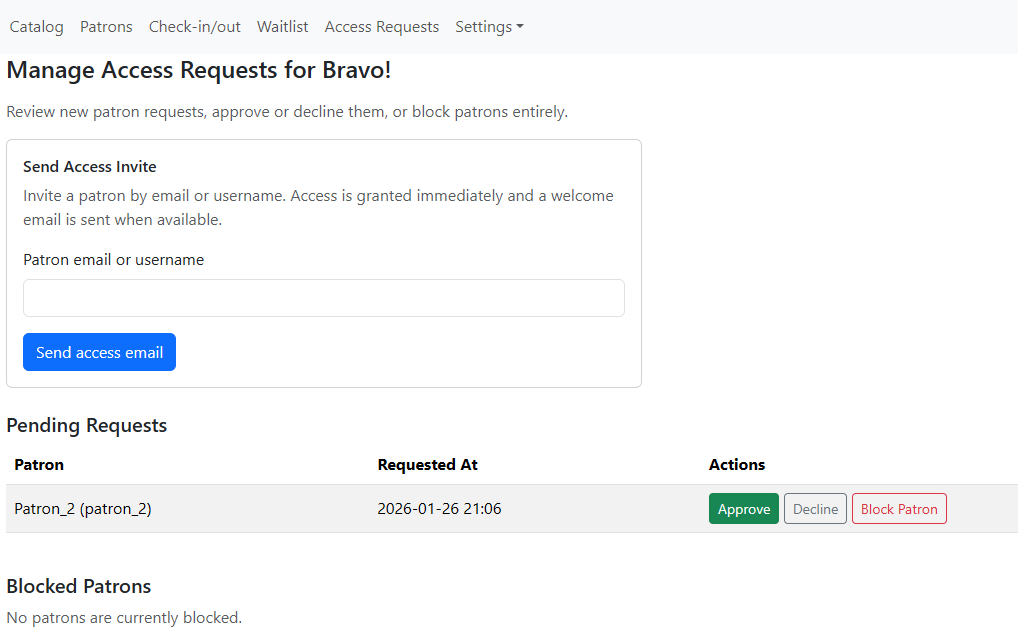
1. Approve, and give them access.
2. Decline, but they can still contact you later.
3. Block Patron, they will be disallowed from contacting you ever again, unless you lift the block.